Windows Latest @WindowsLatest
We provide all the latest news and reviews of Microsoft, Windows, Windows Phone, Surface and Xbox devices. We are not affiliated with Microsoft. windowslatest.com Joined July 2015-
Tweets14K
-
Followers59K
-
Following11
-
Likes444
More details in our story: windowslatest.com/2026/10/20/eve…
Microsoft's Windows design boss has confirmed that AI is now helping designers contribute directly to code fixes in Windows 11, and I sure hope it speeds things up, because five years after launch, Windows still looks like three operating systems stitched together. Diego Baca, Microsoft's VP of Product Design, explained on X: "AI has already helped our design team accelerate significantly. We’re even seeing designers contribute directly to code fixes that improve craft, consistency, and quality. That’s exciting progress, and we’re only getting started." Baca also admitted that consistency is an active priority, but reminded everyone that designing an OS for more than a billion people is difficult. Well, he has a point, but compatibility shouldn't be an excuse for inconsistent UI. On my Windows 11 26H2 PC, clicking Additional mouse settings still opens a decades-old dialog without dark mode. Credit where it's due, Microsoft is finally rebuilding Search, Run, Properties, and Print Management using native WinUI 3. I love these changes, although I wish Microsoft had done this before launching Windows 11 five years ago! Baca says Microsoft hopes to "earn back your enthusiasm for Windows through what we deliver, not just what we say." With AI helping designers write code, I hope Microsoft can finally make Windows feel like one operating system again. I'm cautiously optimistic.
More details in our story: windowslatest.com/2026/10/18/win…
Microsoft is testing an option to install Windows 11 on ReFS instead of NTFS, but surprisingly, it has also confirmed that Windows will block ReFS-formatted USB drives by default starting January 2027. The October 2026 update already warns users about these drives with Event ID 524. Starting in January, Windows will block them from mounting unless an administrator overrides the restriction. Your files won't be deleted, but you could lose access to your ReFS USB drive after an update. Microsoft says ReFS on removable media has never been a supported configuration and cites security as one of the reasons. In Microsoft's own benchmark, copying a 10GB file took 7.964 seconds on NTFS, compared to just 641 milliseconds on a ReFS Dev Drive with block cloning enabled. That's a massive 92% reduction under those conditions! I understand why Microsoft might want to restrict unsupported storage configurations, but I wasn't expecting it to block ReFS on USB drives when we've been hoping for ReFS to eventually replace NTFS. Microsoft hasn't confirmed whether ReFS will become the default file system for Windows 11, and perhaps it'll remain limited to specific workloads.

More details in our story: windowslatest.com/2026/10/18/goo…
Google often gets away with blatant anti-competitive practices, and one of the latest examples is a Chrome download pop-up that shows up in Microsoft Edge. This pop-up appeared when I opened Google in Microsoft Edge. It has a "Download Chrome" button, and "Send usage statistics" is checked by default. The "Download Chrome" button begins downloading the installer immediately. It's not the first time Google has tried to convince Windows 11 users to ditch Edge for Chrome, and it gets away with the same practices Microsoft is slammed for. 🤷♂️

Hands on with Windows 11's new accelerated app launches feature, coming soon to more apps and PCs: windowslatest.com/2026/10/17/mic…
Windows 11 is getting "accelerated app launches," and I tested it on a PC with just 4GB RAM. Surprisingly, Microsoft Edge now opens much faster when other apps are already running, and Microsoft says this feature will eventually be available to other Windows apps, too! Previously, when Edge was already running in the background and you opened it from the taskbar, Start menu, or a link, Windows would create an extra, temporary process just to tell the existing Edge instance to open. The process would then exit. With the new accelerated launch feature, Windows skips that unnecessary process and sends the request directly to the running instance of Edge. I tested it before and after installing KB5127936 on a Windows 11 virtual machine with a paltry 4GB RAM. Before the update, Edge opened fairly quickly when the PC wasn't doing much, but there was a noticeable delay when Store and Paint were open. After the update, Edge opened surprisingly faster under the same conditions. To be clear, this only improves warm launches, where the app is already running in the background. Opening Edge for the first time after a restart won't benefit from this feature. This feature will also come to other apps, as Windows 11 keeps getting better!
Windows 11 could kill Control Panel faster, as Microsoft quietly tests a modular Settings app that can be updated via the Microsoft Store Microsoft is testing a new app codenamed Project Odeon, which uses the Windows 11 Settings icon and looks almost identical to the Settings app we already have. Project Odeon surprisingly works alongside the existing Settings app and can read real information from your computer, including your Windows version, network status, display information, and pending updates. But it gets more interesting when you look under the hood. Odeon has a hidden preview mode with a dummy Microsoft account, fake PC specifications, and six wallpapers. We also found several helper executables for changing system settings, including renaming your PC, managing printers, changing the time zone, and removing updates. Microsoft is experimenting with a more modular Settings experience, where the interface/pages/features can be updated through the Store while separate components handle system-level changes. That could be quite useful, especially when Microsoft is still trying to move decades-old Control Panel features into Windows 11 Settings. Hands-on experience: windowslatest.com/2026/10/16/win…

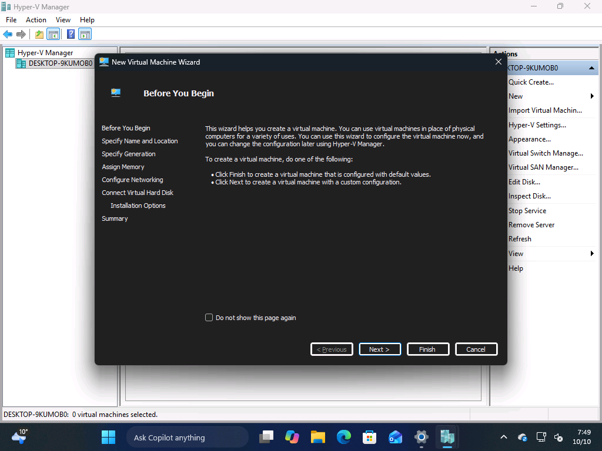
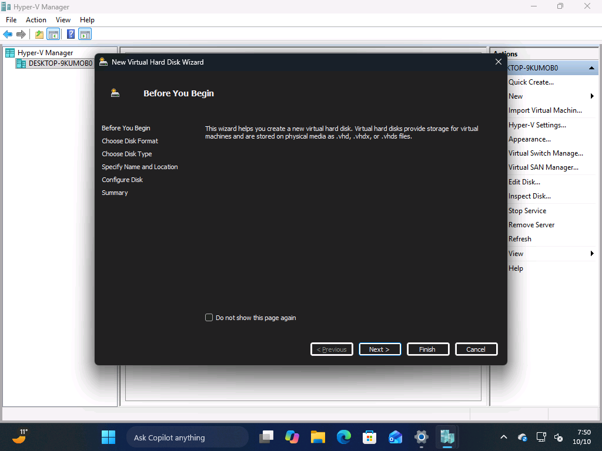
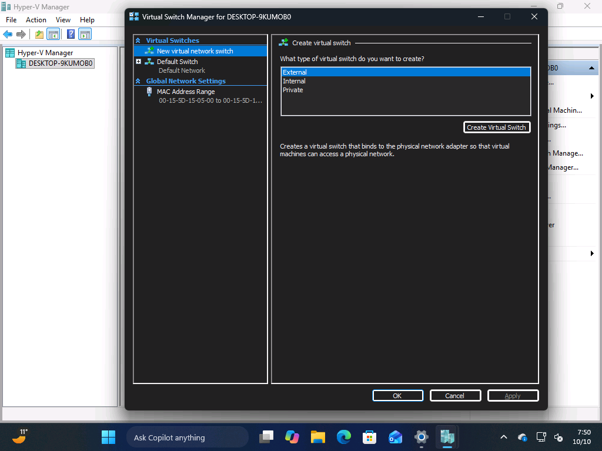
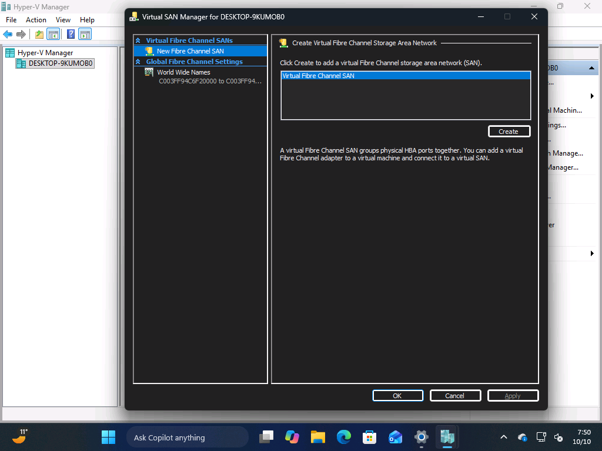
Windows 11's dark mode improvements continue to ship, and we've now noticed that even Hyper-V Manager, one of the oldest legacy tools, is getting dark theme support! Microsoft isn't rebuilding Hyper-V Manager using WinUI yet, but that doesn't mean it'll leave legacy features without dark mode. Like many legacy Windows tools and dialogs, Hyper-V Manager currently doesn't support dark mode, even when the system is set to dark. Windows 11's next update will bring dark mode to Hyper-V Manager, and I think it's the beginning of a bigger push across the OS. Microsoft promised broader dark mode improvements in March 2026, and we're now seeing those changes appear in preview builds: windowslatest.com/2026/10/11/mic…
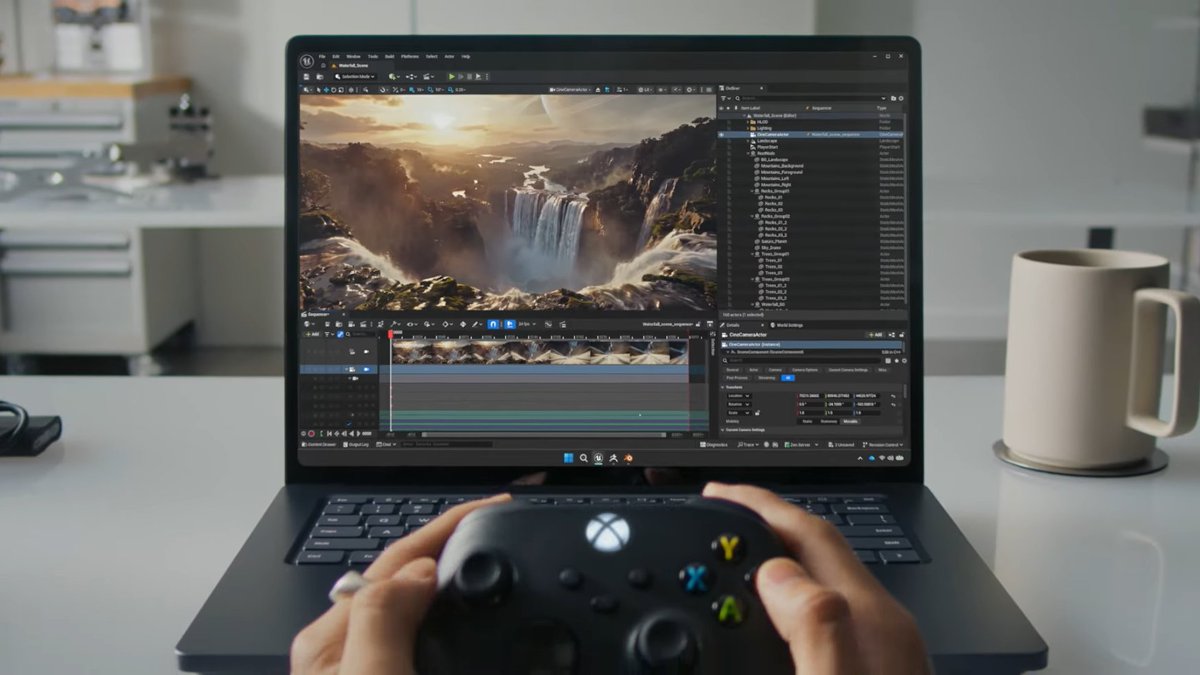
Microsoft has confirmed the Copilot+ PCs lineup isn't dead. Copilot+ PCs are a category of Windows 11 PCs designed specifically for on-device artificial intelligence tasks, and one of the requirements has been an NPU chip. Microsoft is not giving up on the idea, and it's only getting better this year! Windows boss Pavan Davuluri called Copilot+ PCs “your PC for everyday AI,” shipping in “tens of millions of PCs a year,” with “over 2 trillion inferences per month running locally” across search, imaging, and video calls. “Today, over 40% of the laptops being built for business are Copilot+ PCs”, said Davuluri, adding that they’re “improving customers’ experiences across search, imaging, and video calls.”
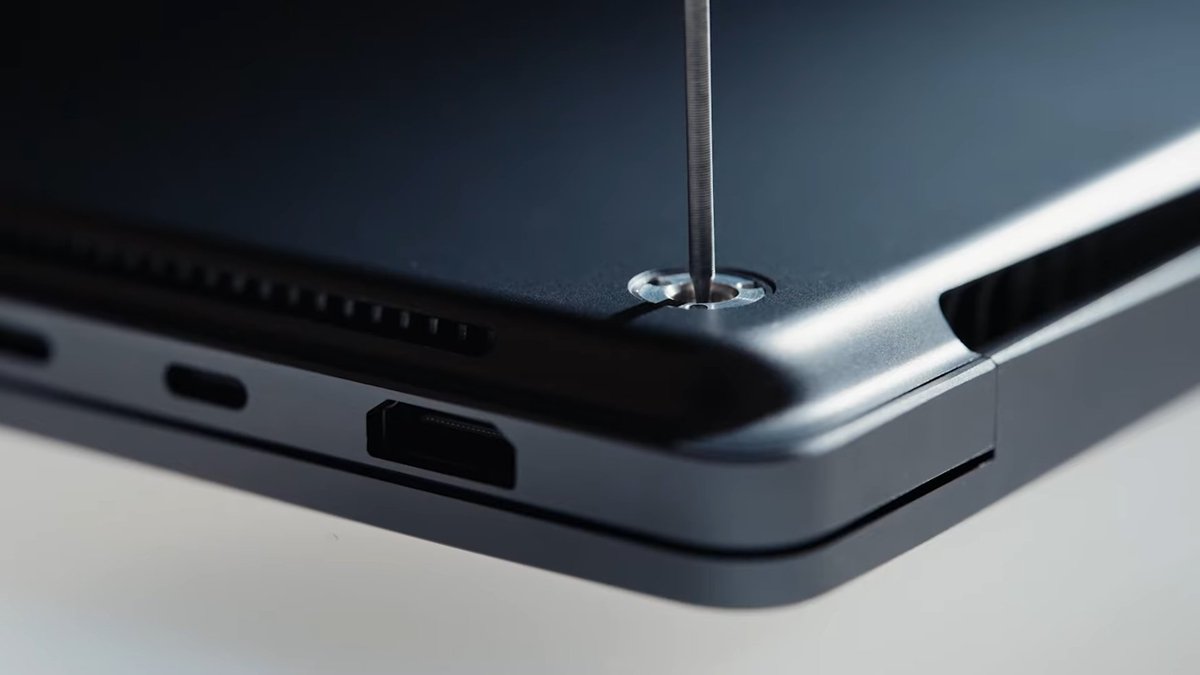
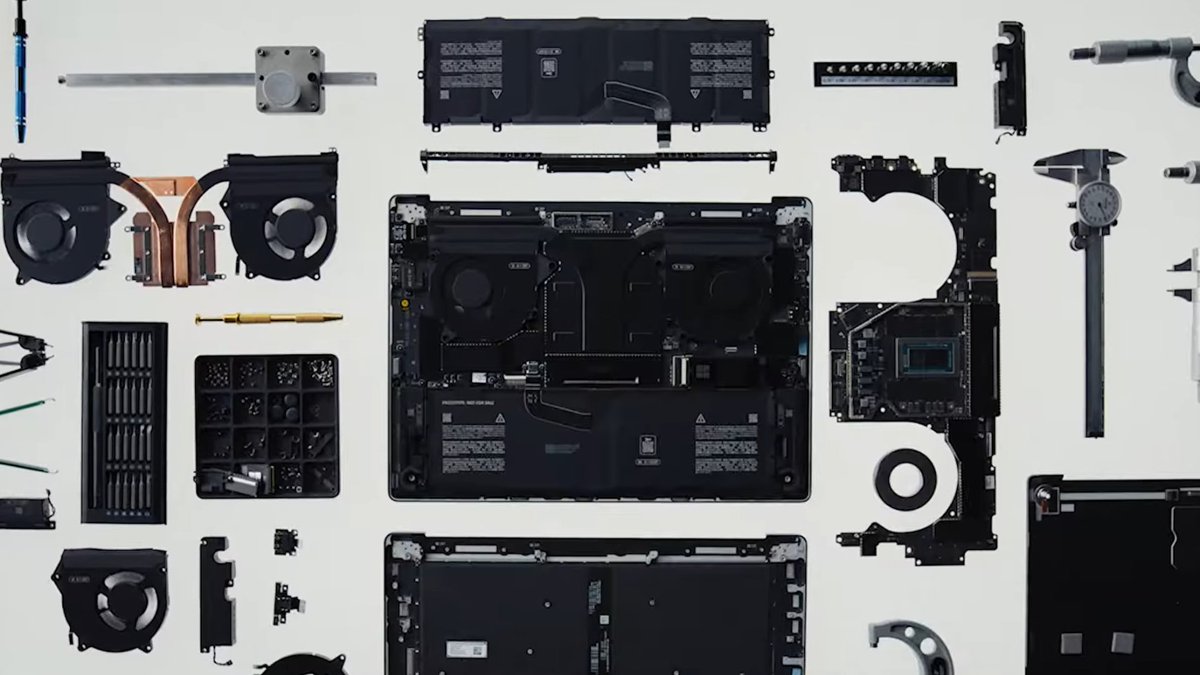
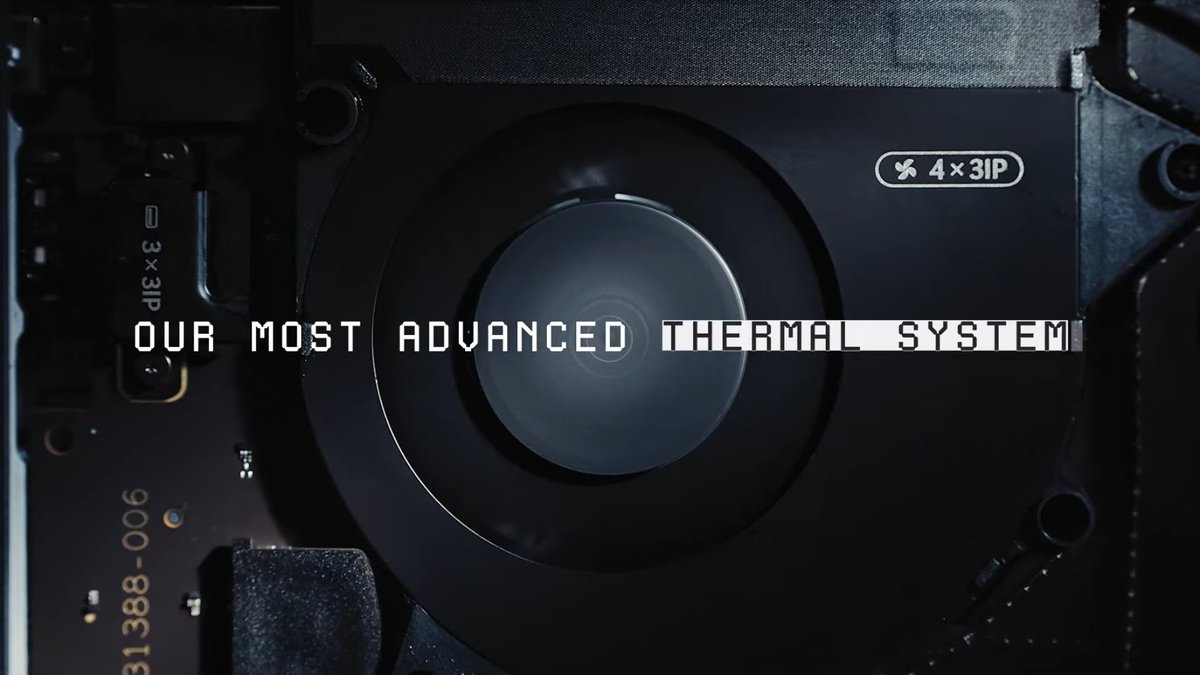
This is the Surface Laptop Ultra, Microsoft's answer to the MacBook Pro. Microsoft says the chip pairs the CPU with an NVIDIA Blackwell RTX GPU for up to 1 petaflop of AI compute (FP4, sparse) and can run models of up to 120B parameters locally. Here's everything you need to know: Processor options: - NVIDIA RTX Spark N1X with an 18-core CPU and 5120-core GPU, from $2,599.99 - NVIDIA RTX Spark N1X with a 20-core CPU and 6144-core GPU, from $3,699.99 Pricing: - 24 GB, 512 GB, Platinum, Home: $2,599.99 - 24 GB, 1 TB, Platinum, Home: $2,999.99 - 24 GB, 1 TB, Nightfall, Home: $2,999.99 - 32 GB, 1 TB, Platinum, Pro: $3,299.99 - 32 GB, 1 TB, Nightfall, Pro: $3,299.99 20-core / 6144-core GPU models - 32 GB, 1 TB, Platinum, Pro: $3,699.99 - 32 GB, 1 TB, Nightfall, Pro: $3,699.99 - 48 GB, 1 TB, Nightfall, Pro: $3,999.99 - 64 GB, 1 TB, Nightfall, Pro: $4,299.99 (marked "Pre-order – Exclusive") - 64 GB, 2 TB, Nightfall, Pro: $4,699.99 (marked "NBP1") - 128 GB, 1 TB, Nightfall, Pro: $5,899.99 (out of stock) The 18-core chip tops out at 32 GB, and 48 GB and above are Nightfall only. The only 2 TB option is the 64 GB build. Protection plans (Microsoft Complete): - 2 years: $249 - 3 years: $319 - 4 years: $399 Offers: - MacBook Pro trade-in: up to $1,000 cash back, from October 7 to November 23, 2026. US and Canada only. - Holiday window: purchases made October 1 to December 2 can be returned, or price-adjusted, until January 31, 2027.
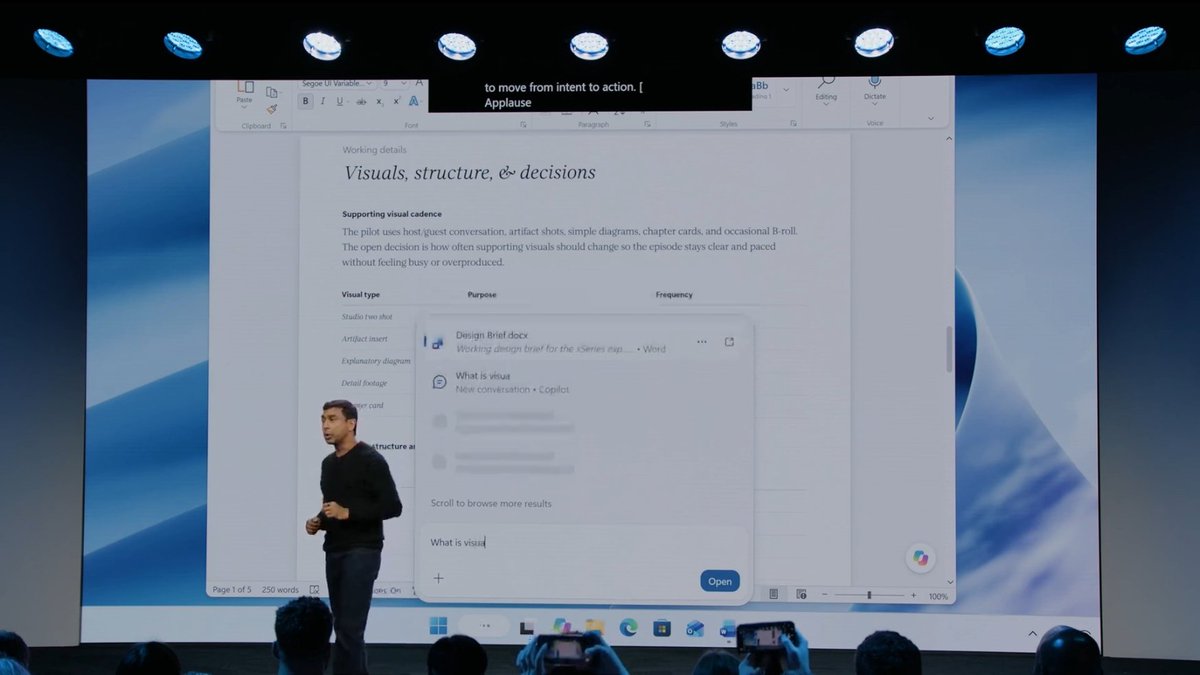
This is really cool: you can soon change Windows Settings directly from the new native Windows 11 Search UI. Here's everything coming to Windows Search: - Faster Search with lower memory usage thanks to WinUI 3. - Inline Windows actions like turning on Bluetooth, Night Light,
This is the new Windows 11 Search UI, coming later this year!

This is really cool: you can soon change Windows Settings directly from the new native Windows 11 Search UI. Here's everything coming to Windows Search: - Faster Search with lower memory usage thanks to WinUI 3. - Inline Windows actions like turning on Bluetooth, Night Light, or dark mode. - Quick system controls such as mute, dim screen, or minimize all windows. - Window arrangement actions to snap and organize apps from Search. - Better matching for typos and synonyms so Search understands what you meant. - Inline previews and richer results for files, web answers, weather, stocks, and more. Windows is so back!
More details in our story: windowslatest.com/2026/10/07/fir…
Microsoft just announced a new Windows 11 Search experience, and it's fully native (built using WinUI!). Goodbye, WebView! And this new Windows Search can also control your PC settings, such as turning dark mode on or off, and more... without even opening Settings. Good stuff. Coming later this year.

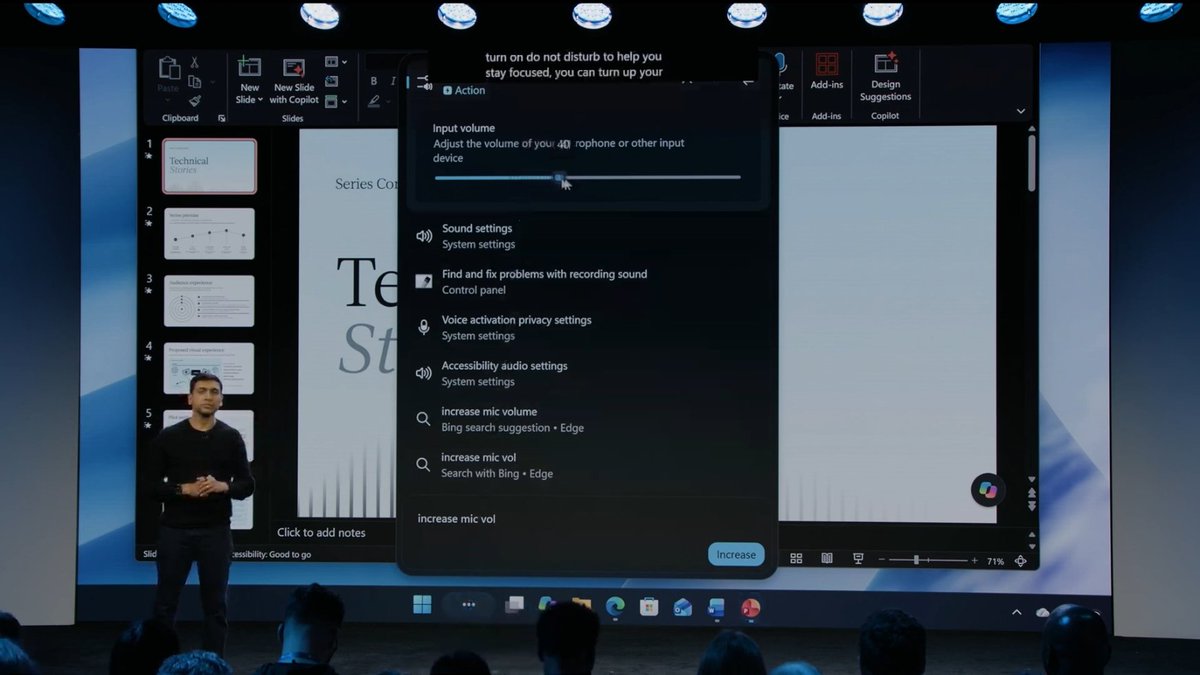

This is the new Windows 11 Search UI, coming later this year!
Microsoft might consider bringing Windows XP’s 3D Pinball to Windows 11, as the Windows boss puts it on the list. “People love games and Windows, and we have such an amazing catalog on Windows from casual games all the way to AAA titles,” Davuluri said on the Inside Windows podcast. “We’ve had a great history in Windows of having games in-box as well, and noted on 3D pinball, we will add that into the matrix for things to think about.” However, Microsoft has not confirmed 3D Pinball is coming back to Windows 11. “Matrix” is the kind of word executives use when something enters the pool of ideas, not the roadmap. Still, it is rare to hear the person running Windows talk about the XP classic at all. If you grew up with Windows XP, there’s a good chance your first PC game was Pinball, probably played in a school computer lab while the teacher wasn’t looking. Back then, there was no MS Store, no Game Pass, no launcher, no account. You went to Start > All Programs > Games, and there it was. Windows used to have that kind of personality. Pinball, Solitaire, Minesweeper, Hover!, startup sounds, weird CD extras, all of it made Windows feel like something you could explore, not just a place for work, ads, and Copilot buttons. Sometimes, an operating system can just be fun.... Here's everything we know so far about Pinball for Windows 11: windowslatest.com/2026/10/06/mic…

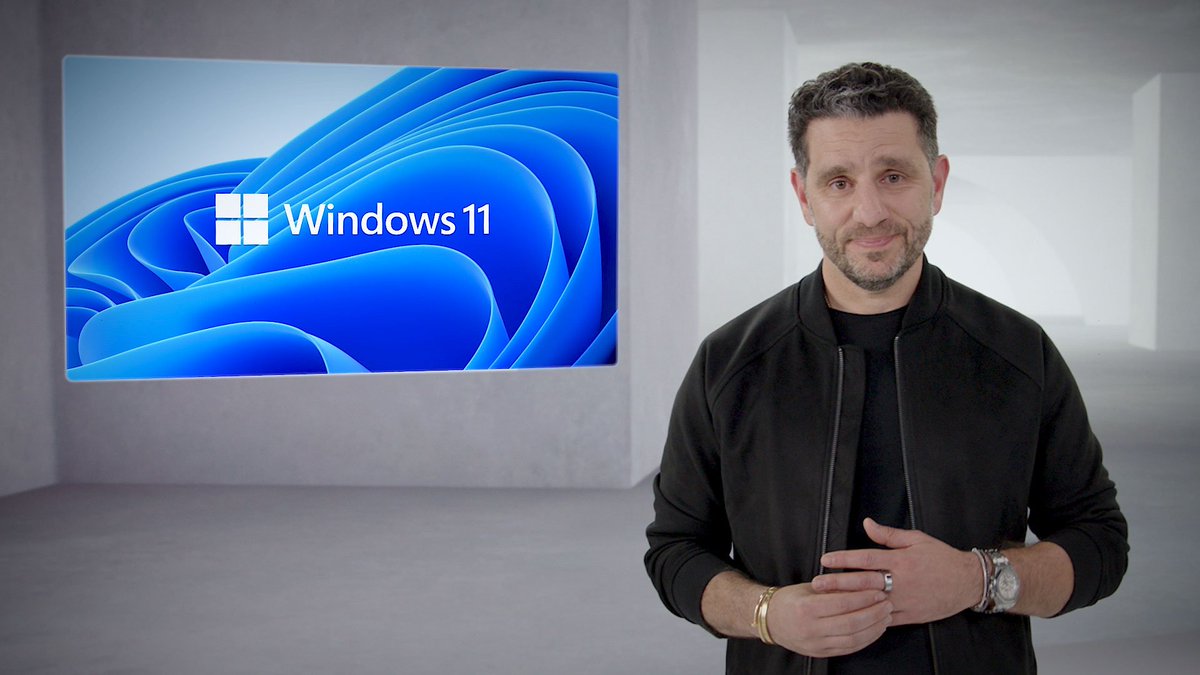
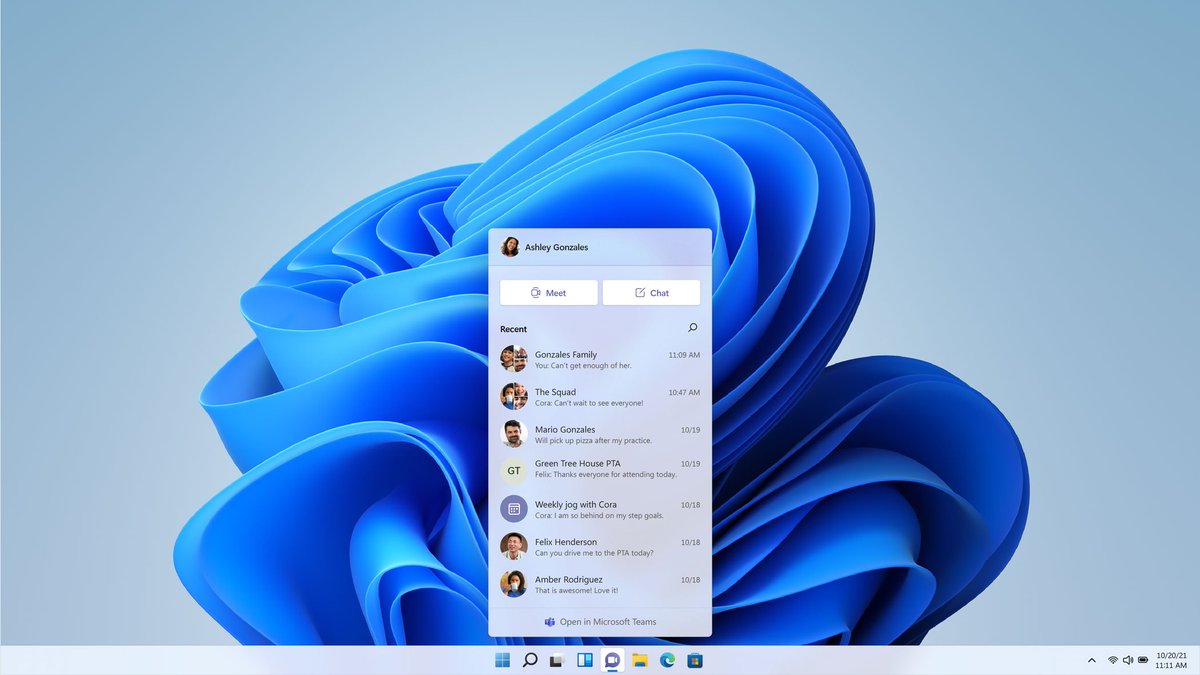
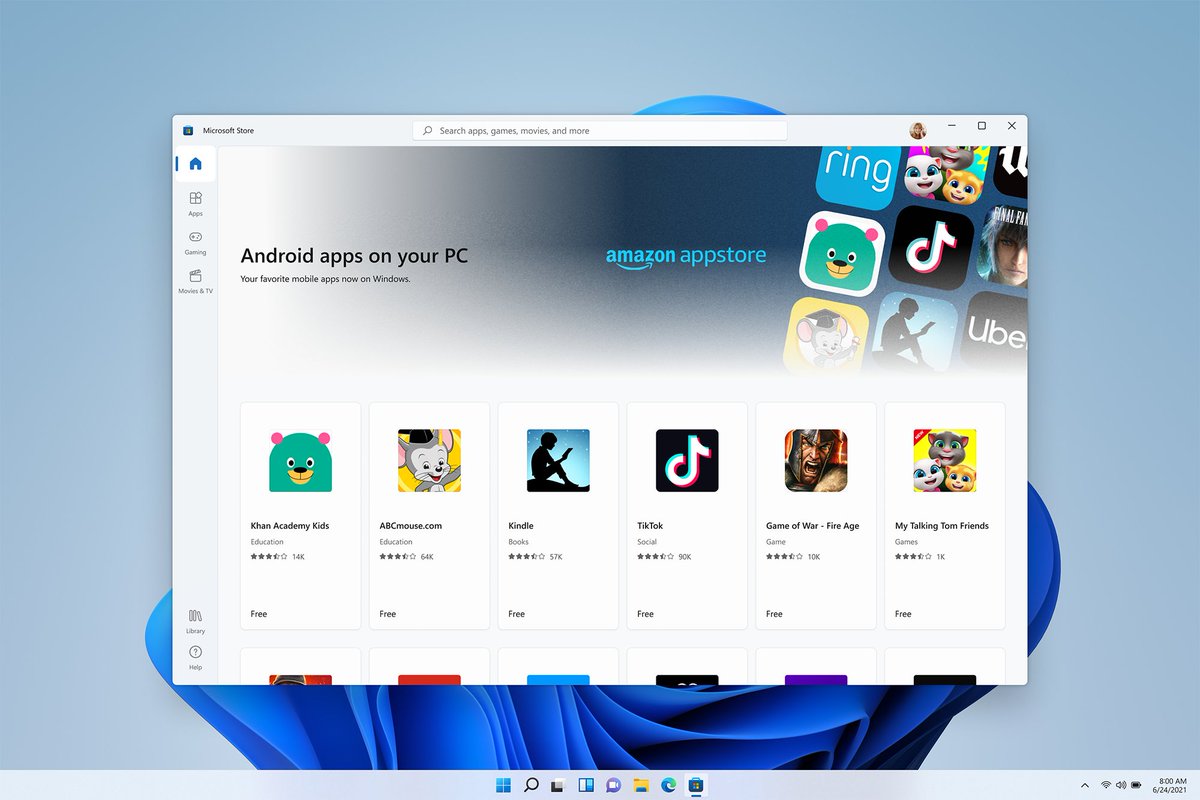
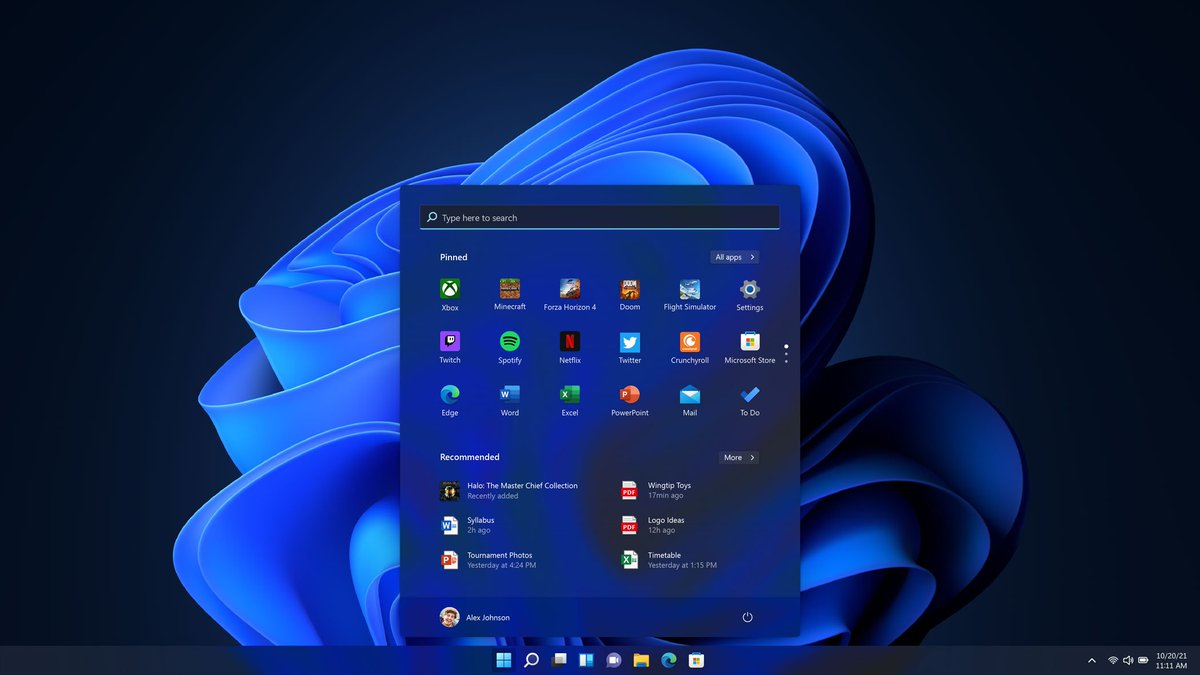
Happy Birthday, Windows 11! Five years ago, on October 5, 2021, Microsoft made Windows 11 generally available for all supported PCs. Windows 11 is now five years old, and it's finally getting the attention it deserves. Microsoft is fixing the things people complained about when it launched. Back in 2021, Windows 11 was pitched as the modern Windows. New Start menu, new taskbar, rounded corners, Snap improvements, Widgets, Teams in the taskbar, Android app support, a new Store, better security, and a cleaner UI. Some of it was good, but Microsoft also removed a lot of muscle-memory features for no good reason. The taskbar became worse, the Start menu became less useful, the context menu needed two clicks for basic actions, and the new hardware requirements kicked out perfectly usable PCs. Then some of the headline features, like Teams integration and Android app support, were eventually killed anyway. What makes 2026 interesting is that Microsoft finally seems to be going back to the complaints it ignored for years. The Start menu is getting more customization. The taskbar is becoming more flexible. Context menus are getting faster, simpler, and configurable. Windows Update is being improved. File Explorer, WinUI, performance, memory usage, and 8GB PCs are all suddenly priorities. That doesn’t make the last five years perfect, but it does make Windows 11 feel like it’s entering the version it probably should have been closer to at launch.
More details in our story: windowslatest.com/2026/10/04/ris…
Microsoft has finally admitted why Windows 11 needs to use less RAM, and it comes down to something everyone buying a PC in 2026 already knows: memory is expensive again. Pavan Davuluri, Microsoft’s Windows chief, said it clearly: “I do think memory is top of mind for us right now in the industry, especially as we look at the rising cost of memory for computers across the board. For us, as a Windows team, we have clear efforts around driving better utilization of memory.” Microsoft has now made “memory optimization for 8GB and above” an official Windows priority for the rest of 2026. Davuluri says the work is happening across the memory manager, memory compression, and the frameworks that sit on top of Windows. “We do definitely have work when it comes to compressing memory and making sure we’re more efficient on the platform,” he said. Microsoft is trying to make Windows take memory only when a capability is actually being used. “You only take the memory cost as and when you use the capability. Otherwise, the base system gets a little bit more efficient across the board.” I’m glad Microsoft is reducing Windows 11's memory management, WinUI 3, WebView2, and Chromium efficiency, and hopefully, one day, Microsoft will also fix its own web-based apps...

FireCube @FireCubeStudios
14K Followers 105 Following ・Developing & Designing GlowUI Windows Apps ・https://t.co/GPgZEhzWrI ・ https://t.co/T5eb1533FU Icon by: @lorisobidesign
Windows On Windows @wowstartsnow
27K Followers 2K Following The YouTube channel on the history & development of #Microsoft #Windows. 📺 Join the Discord @ https://t.co/Z4Rg1AoHmA! 👨🏻💻 Follow for daily Windows facts. 🤓 #WIMVP
MSPowerUser @mspoweruser
109K Followers 370 Following All things Microsoft, tech, AI, gaming, and more!
VideoCardz.com @VideoCardz
81K Followers 633 Following Not all frames are created equal. PC hardware rumors, leaks, and the latest news! Send a tip: https://t.co/ARSj7FBsSJ
Andres Vidoza @andres_vidoza
64K Followers 210 Following Telling a story with tech. | 📩 [email protected]
Corgi @GeN337334269793
0 Followers 21 Following


Guillermo Israel Lede... @LedezmaCornejo
0 Followers 25 Following
Prem @premxkori
2 Followers 70 Following
Zero’ @xosr4
102 Followers 4K Following
Ntiepa Gkikas @ntiepagkikas
0 Followers 11 Following

KomorebiMononoke @666_D_666
676 Followers 6K Following ソウルキャリバーシリーズ愛好家。ジークフリートとナイトメア使用。鉄拳は仁とデビルを使用。Steam:KomorebiMononoke
张先森-加勒比�... @TenDuke_Mr0526
3 Followers 2K Following
Tandy Paulus @PaulusTandy
5 Followers 2 Following
slimebox @slimebox227
1 Followers 145 Following
Yuki Christian ~ C3 �... @yukitech01
2 Followers 36 Following 💻 Tecnología e IA 🌸 Me gusta experimentar con nuevas tecnologías ⭐ Cuenta principal: @hychris02 👤 Personal: @YukiChrisM505
Reet Ghuman @ReetGhumanxs
664 Followers 6K Following I freaking hate everyone also I am a 19 year old Canadian autistic girl 🧒

a hao @joy_a_hao
7 Followers 409 Following
Ethan Davis @ethan_davi60027
42 Followers 2K Following
Ahmed ~ @yabahmaz
15 Followers 116 Following
Glenn Thompson @Gmthomps1704
792 Followers 191 Following In a world where you can be anything - be kind...
Desktop Assist Tools @DeskAssistTools
0 Followers 39 Following Taylor Desktop Assistant for Windows. Capture your screen and ask an AI assistant for help. £4.99 once, one PC. Separate AI account required.
Xenomorph @Xenomorph8086
12 Followers 1K Following
Shanjay Maharaj @shanm001
69 Followers 206 Following
The Fun @Thenonfun
41 Followers 331 Following when you shit bricks, i shit boners. don't take me too seriously here
CyberNet @cybernetnl
92 Followers 144 Following


Tatu 🇦🇷 @tatu404
403 Followers 2K Following “𝔔𝔲𝔢 𝔢𝔩 𝔡í𝔞 𝔪á𝔰 𝔱𝔯𝔦𝔰𝔱𝔢 𝔡𝔢 𝔱𝔲 𝔣𝔲𝔱𝔲𝔯𝔬 𝔫𝔬 𝔰𝔢𝔞 𝔭𝔢𝔬𝔯 𝔮𝔲𝔢 𝔢𝔩 𝔡í𝔞 𝔪á𝔰 𝔣𝔢𝔩𝔦𝔷 𝔡𝔢 𝔱𝔲 𝔭𝔞𝔰𝔞𝔡𝔬.”
Tony @Social_AlterEgo
0 Followers 12 Following Using AI to make useful vibe-coded tools for myself and others.
Intorlink @intorlink
0 Followers 10 Following
iamkarim71 @Karimpromax1
2 Followers 609 Following

DEValiyev @devaliyev
0 Followers 54 Following

MR. CHris🎮🎮☃�... @obitex36
5K Followers 6K Following Full-Stack Developer~REACTjs, NEXTjs, Node js, Express js, REACT NATIVE, Graphics Designer, UI/UX and more...
TofuGrwo @TofuGrwo
0 Followers 369 Following
Fabian Alexandru @FabianA67748746
3 Followers 93 Following

paul sam @paulsam2l
79 Followers 2K Following
salkahfi @salkahfiii
0 Followers 295 Following
Sunil Kumar @friendly_sk
1 Followers 28 Following
ABOL @GPULANCER
2 Followers 50 Following
Ethan Blazakis @BlazakisEthan
6 Followers 139 Following Reverse Engineering Specialist • Network anomaly investigations • Data leak monitoring
Can @can_mms_
0 Followers 12 Following
/Sd @Eliottit3a
1 Followers 146 Following
R.S.T. @R_S_T_95
44 Followers 1K Following ................................................................................................................................................................
Brian Walker @Brian_Walker22
41 Followers 163 Following Cultivating a curious & creative life. Battlerap fan
FRPboy @frpboy
2 Followers 87 Following

Logos @Eternalistz97
4 Followers 222 Following
Sotirovic 🇷🇸 @sotironly
8 Followers 154 Following
Windows Central @WindowsCentral
738K Followers 60 Following 20 years of covering Microsoft, Windows, Xbox, and PC gaming. Tips: [email protected] | Gaming: @WinC_Gaming | Not part of Microsoft.

Windows Insider Progr... @windowsinsider
163K Followers 298 Following Official Twitter of the Windows Insider Program, a community of tech enthusiasts and experts, IT pros, and developers helping to shape the future of @Windows.
Microsoft @Microsoft
13.1M Followers 1K Following We're on a mission to empower every person and every organization on the planet to achieve more. Support: @MicrosoftHelps
MSPowerUser @mspoweruser
109K Followers 370 Following All things Microsoft, tech, AI, gaming, and more!
Windows Update @WindowsUpdate
93K Followers 508 Following Updates and practical guidance to help you stay informed and get ready for what’s next.
VideoCardz.com @VideoCardz
81K Followers 633 Following Not all frames are created equal. PC hardware rumors, leaks, and the latest news! Send a tip: https://t.co/ARSj7FBsSJ



Mayank Parmar @mayank_jee
2K Followers 681 Following Entrepreneur & founder of @WindowsLatest.com. Decoding AI at @BleepinComputer. Head of Audience Development at Search Engine Watch. Cited by CNN, Forbes & more.You might like